Variables Pane
View and inspect all variables in your Python or R session. Browse objects, data tables, and connections in a convenient sidebar interface.
The Variables pane allows you to view the variables in your Python or R session and by default, is located in the Secondary Side Bar.
In addition to variables, if applicable, it displays data tables and any open connections for your session.
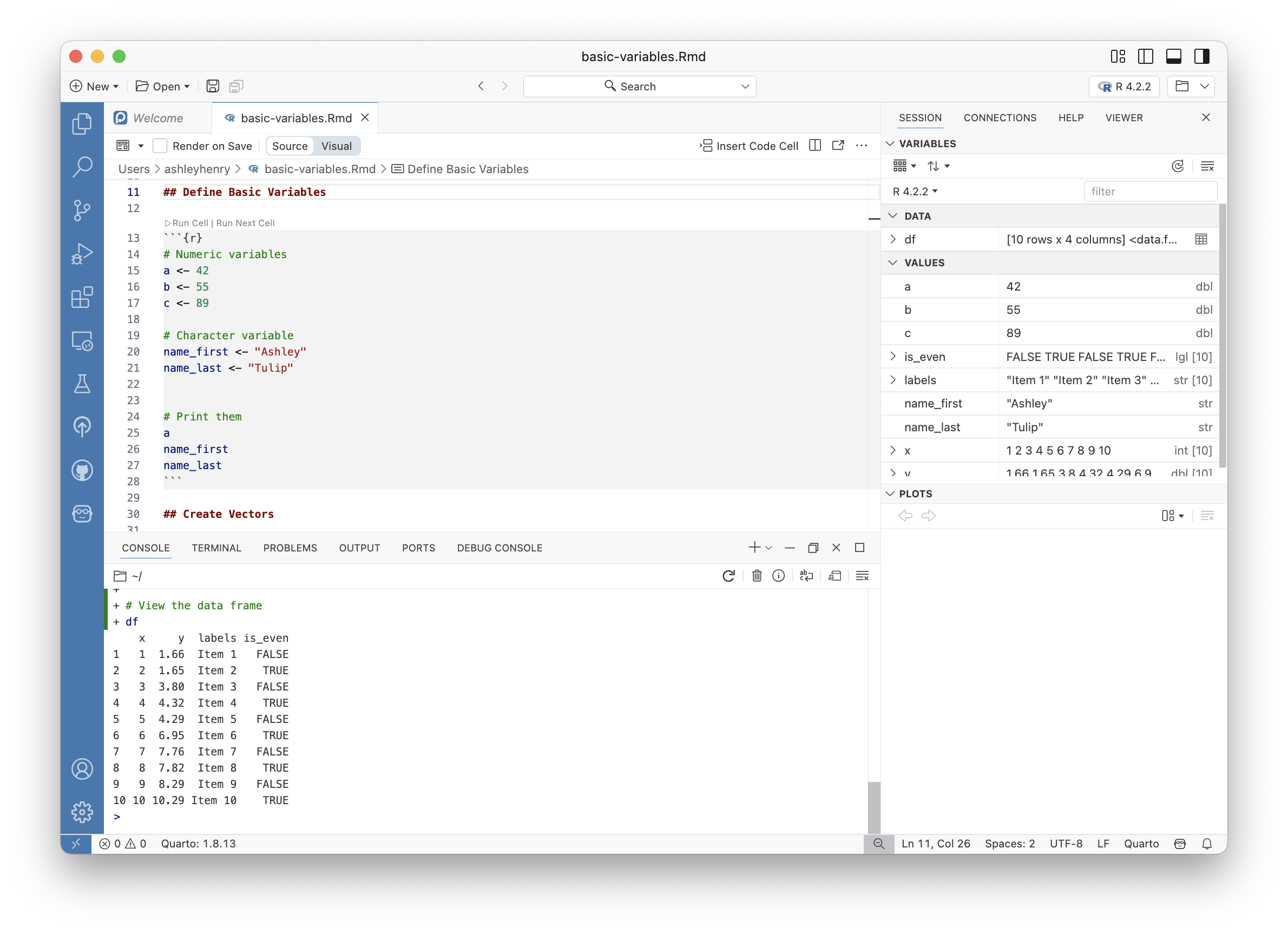
Viewing variables
If the Variables pane is not already displayed, you can open it by selecting View > Variables or by running Session: Focus on Variables View from the Command Palette.
Viewing data tables
If your session includes data tables, they appear in the DATA section of the Variables pane. For more information about viewing your data tables, see the Data Explorer section.